
Appearance
Rules and masking
Rules decide what devices look for, how much of a match your team sees, and what happens on the device. Manage them in Policies.
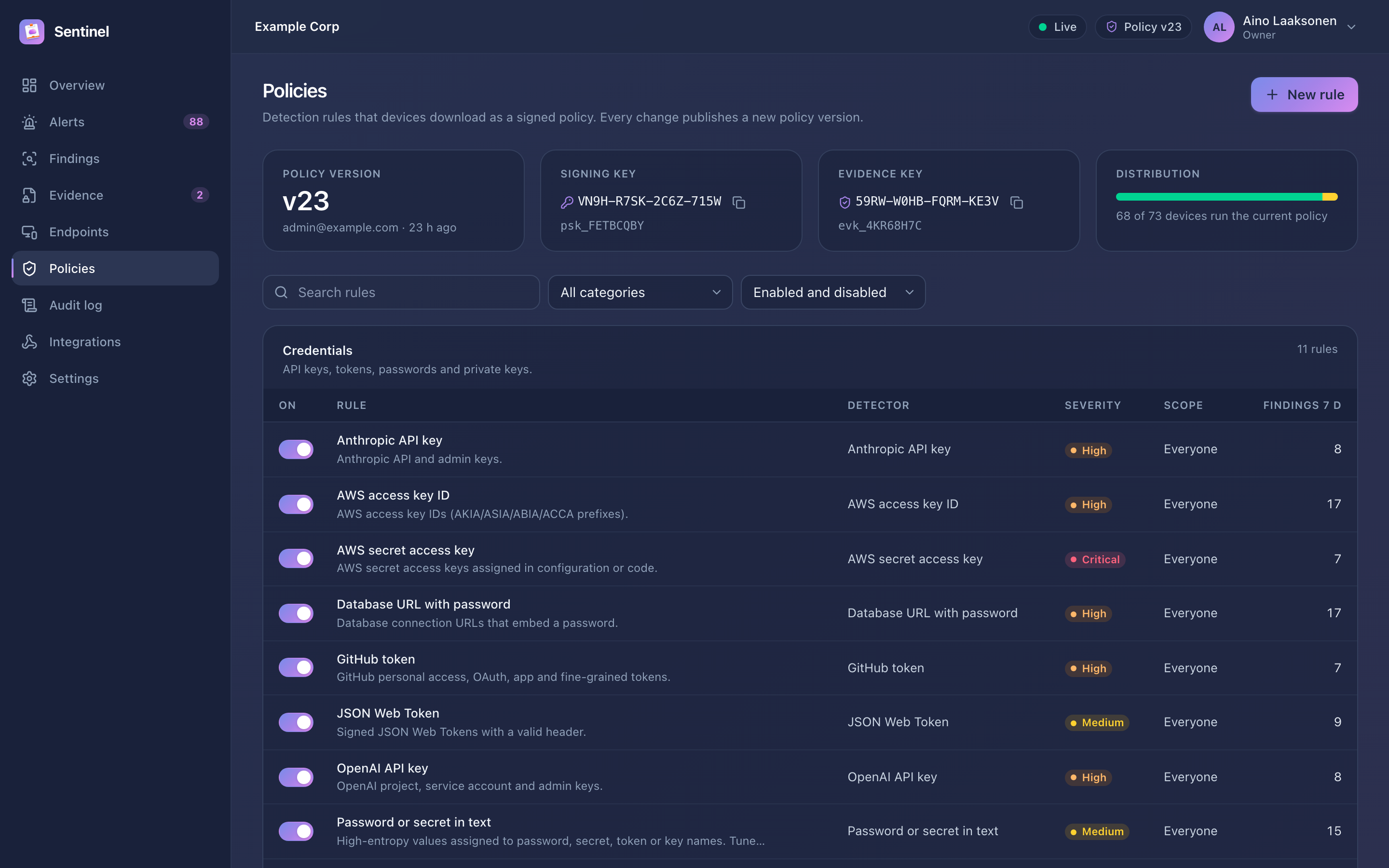
Every saved change publishes a new signed policy version. Devices download it at their next check-in, and the header shows how many devices already run the current version.
Detectors
| Detector | Use it for |
|---|---|
| Built-in | Curated patterns with validators, maintained with Sentinel releases: cloud and AI API keys, tokens, private keys, database URLs with passwords, payment cards, IBANs, Finnish and Swedish identity numbers, US SSNs, bulk email addresses, confidentiality markings. You can change severity, masking, scope and actions; the pattern stays fixed. |
| Regex | Your own formats. Patterns use a portable syntax (no look-around or backreferences), can mark the secret part with a capture group, and can require a validator such as Luhn, IBAN or entropy. |
| Keywords | Code names and phrases, optionally whole-word and case-insensitive, for example Project Aurora. |
| Fingerprint | Upload confidential documents. Excerpts copied from them match above a similarity threshold; the document text is not kept after hashing. |
Rule settings
| Setting | Meaning |
|---|---|
| Minimum matches | Report only when enough matches appear together, for example 10 email addresses |
| Severity | Low, medium, high or critical; drives alert severity and integration filters |
| Masking | How matches appear in findings (below) |
| Actions | Report (always), Notify user, Clear clipboard, Exclude from sync |
| Evidence | Seal evidence on the device, retention in days and maximum size |
| Scope | Groups, platforms and source applications to include or exclude |
Masking styles
| Style | Example output | Use for |
|---|---|---|
| Full | •••••••••••••••••••• | Anything where no part should be visible |
| Partial | AKIA••••••••••••7Q2F | Keys and tokens: keep a few leading or trailing characters to recognise the credential |
| Format-preserving | ••••-••••-••••-4242 | Card and identity numbers: keep separators and the last digits |
m•••@example.com | Email addresses | |
| Keyed hash | hmac:3f9a0c21d4e7 | Correlating repeated values without revealing them |
| Redact | [REDACTED] | A fixed replacement text |
| None | the matched keyword or document name | Keyword and fingerprint rules only |
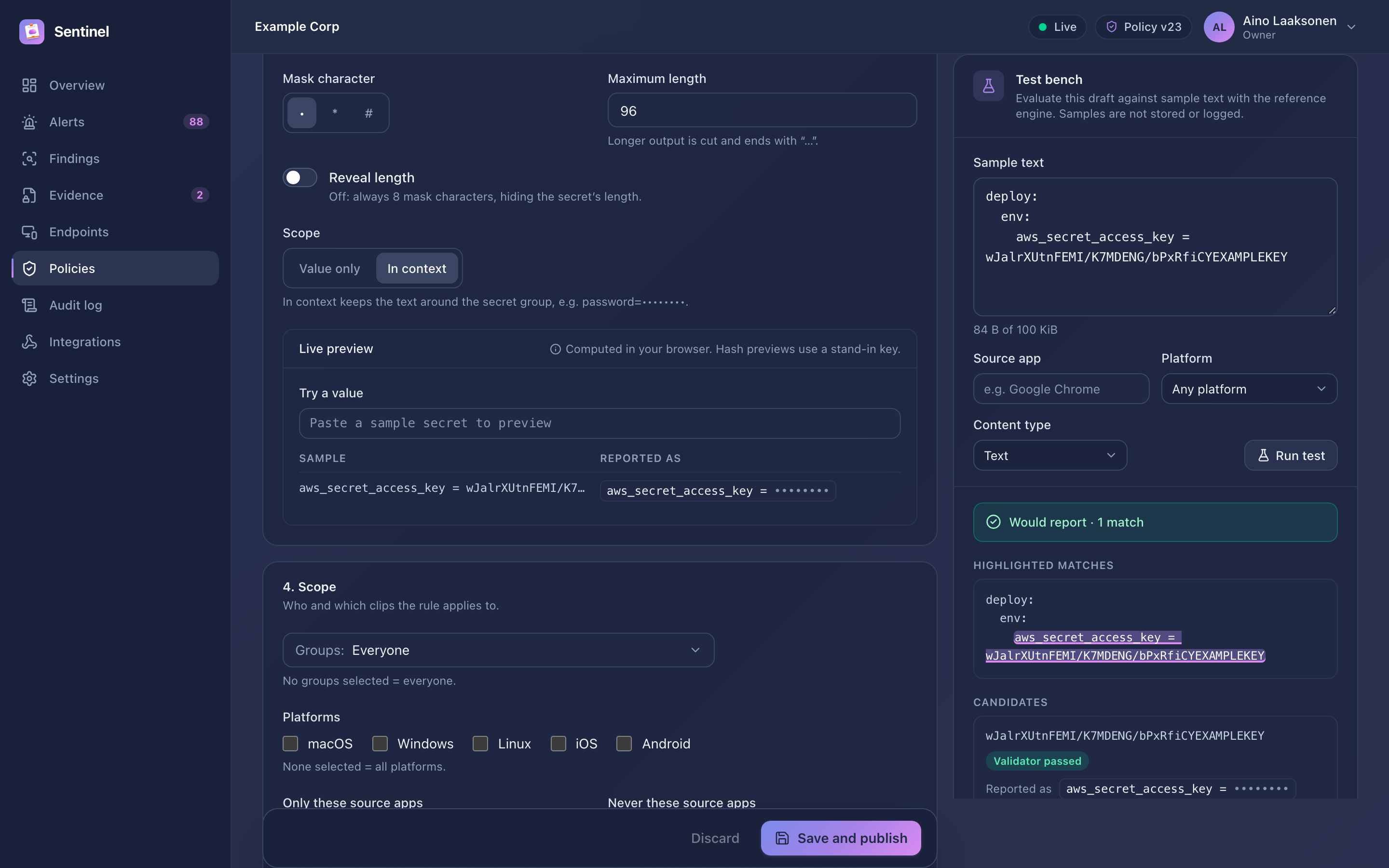
Masking can apply to the value only, or show a little context around it. The editor previews the result as you change settings.
NOTE
Sentinel re-checks every masked value it receives. Values that don't match the rule's masking are withheld and counted under mask check failures on the overview.
Test before you publish
The test bench in the rule editor runs the rule on sample text exactly as a device would. It highlights matches, shows validator results and the masked output, and tells you whether a finding would be reported and which actions would run. Samples are not stored or logged.
WARNING
A rule reaches every device in scope within minutes of saving. Test new regular expressions against real-looking samples, including text that should not match, before you publish.
Policy versions
Policies → Versions lists every published version with a change summary, who made the change and when. Findings keep the rule snapshot they were detected with, so editing or deleting a rule never rewrites history.