
Appearance
Integrations
Send Sentinel events to your security tools. Manage them in Integrations.
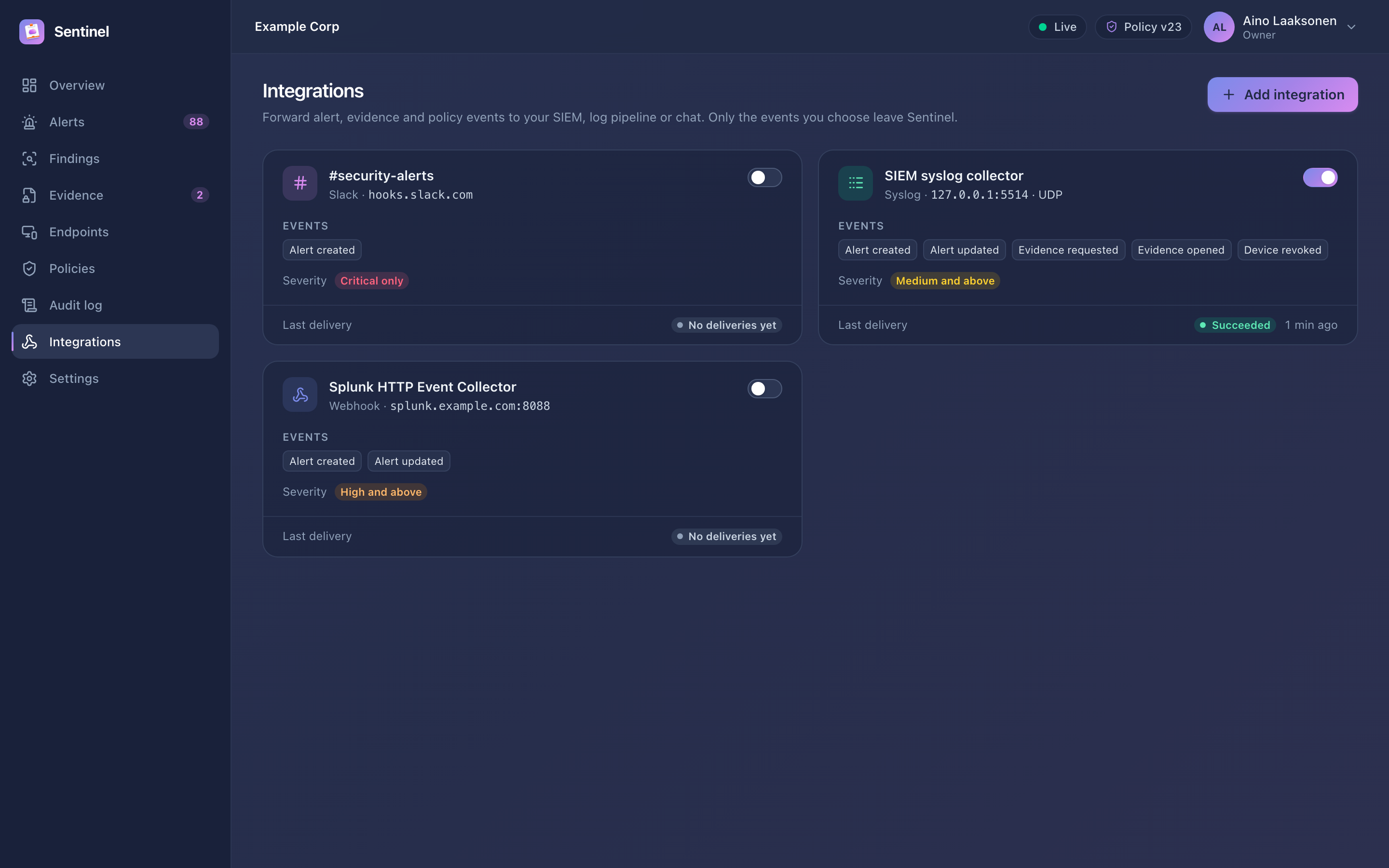
Types
| Type | Configuration | Notes |
|---|---|---|
| Webhook | HTTPS URL, optional secret, optional headers | JSON body. With a secret, every request carries X-Sentinel-Signature: sha256=<HMAC-SHA256 of the body>. |
| Syslog | host:port, UDP, TCP or TLS, RFC 5424 JSON or CEF, app name | For SIEMs such as Splunk, Microsoft Sentinel, QRadar or Elastic |
| Slack | Incoming webhook URL | Short alert messages for a security channel |
Events
| Event | When |
|---|---|
alert.created | A new alert is created |
alert.updated | An alert's status or assignee changes |
evidence.requested | An investigator requests evidence |
evidence.received | A device uploads requested evidence |
evidence.opened | Evidence is opened (with the purpose) |
device.revoked | A device is revoked |
policy.updated | A new policy version is published |
Choose which events each integration receives and a minimum severity; the minimum applies to alert and evidence events. Masked matches are left out of payloads unless you enable Include masked matches for that integration.
Webhook payload
json
{
  "id": "0192f0c4-…",
  "type": "alert.created",
  "occurred_at": "2026-09-17T08:41:12Z",
  "organization": "Example Corp",
  "data": {
    "alert_id": 1042,
    "number": "ALR-1042",
    "rule_name": "AWS secret access key",
    "severity": "critical",
    "status": "open",
    "person": "maria.virtanen@example.com",
    "device": "Maria's MacBook Pro",
    "source_app": "Visual Studio Code",
    "finding_count": 1,
    "first_seen_at": "2026-09-17T08:41:10Z",
    "last_seen_at": "2026-09-17T08:41:10Z"
  }
}
Headers: X-Sentinel-Event, X-Sentinel-Delivery (unique per delivery) and, with a secret, X-Sentinel-Signature. Verify the signature by computing an HMAC-SHA256 of the raw request body with the secret.
Delivery and testing
- Send test delivers a test event immediately and shows the result.
- Failed deliveries are retried after 1 minute, 5 minutes, 30 minutes, 2 hours and 6 hours. The delivery history on each integration shows status codes and errors.
- Secrets are stored encrypted and never shown again; leave the field empty to keep the current secret.
- For security, integrations cannot deliver to loopback or link-local addresses.
NOTE
Syslog over UDP has no delivery confirmation. A successful test means the message was sent, not that a collector received it. Prefer TCP or TLS where your SIEM supports it.