Appearance
Alerts and findings
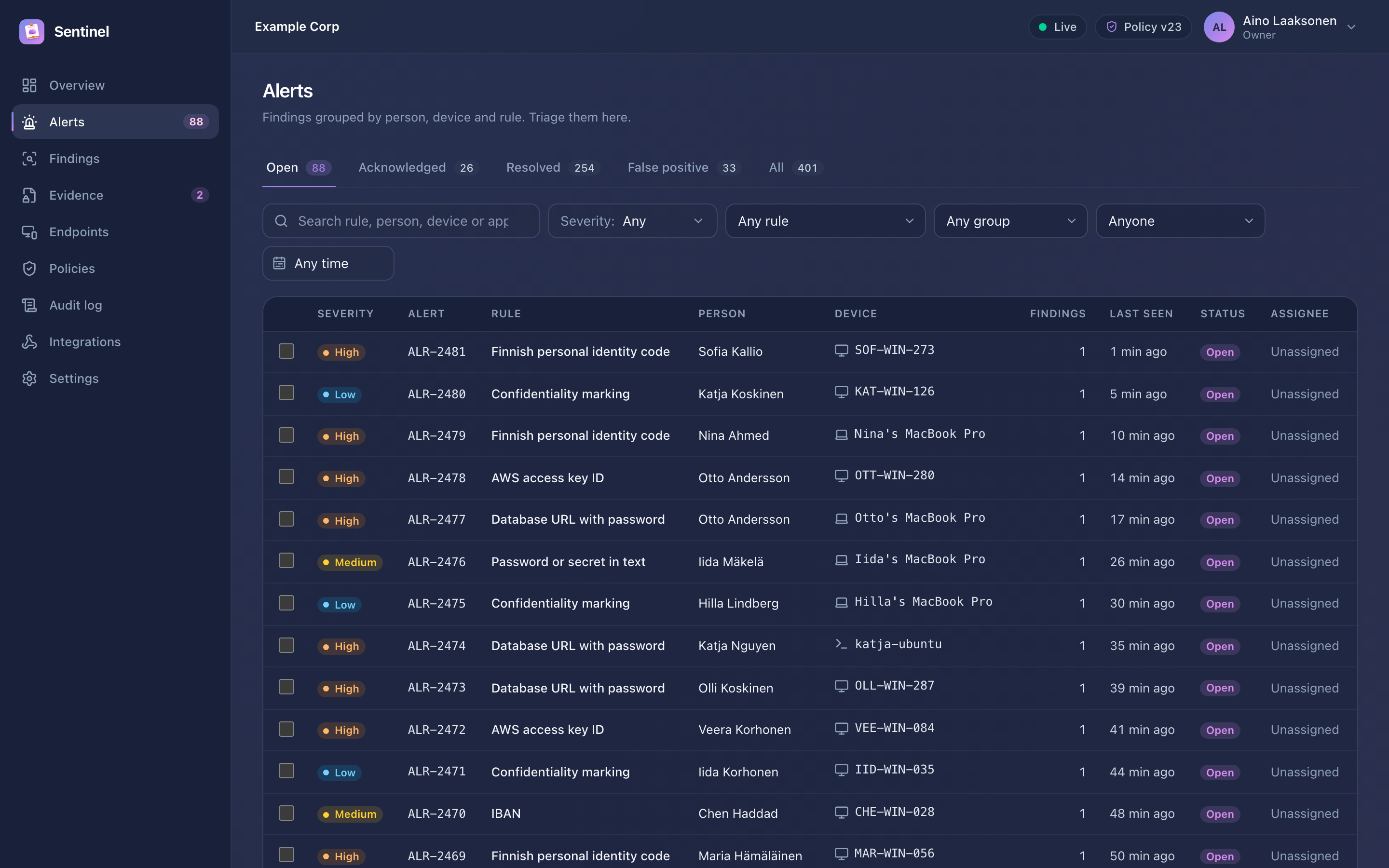
A finding is one detection on one device. Findings for the same person, device and rule within the grouping window (30 minutes by default, configurable in Settings → Alerting & devices) form an alert. The alert's severity is the highest severity of its findings.
Triage
Alerts has tabs by status, filters (severity, rule, group, person, device, assignee, time range) and search by rule, person, device or alert number (for example ALR-1042). Select several alerts to change their status in bulk.
| Status | Use it when |
|---|---|
| Open | New, nobody has looked at it yet |
| Acknowledged | Someone is working on it; assign it to make ownership clear |
| Resolved | Handled, for example the key was rotated or the data deleted |
| False positive | Not sensitive after all; a note is required so rules can be tuned |
Alert detail
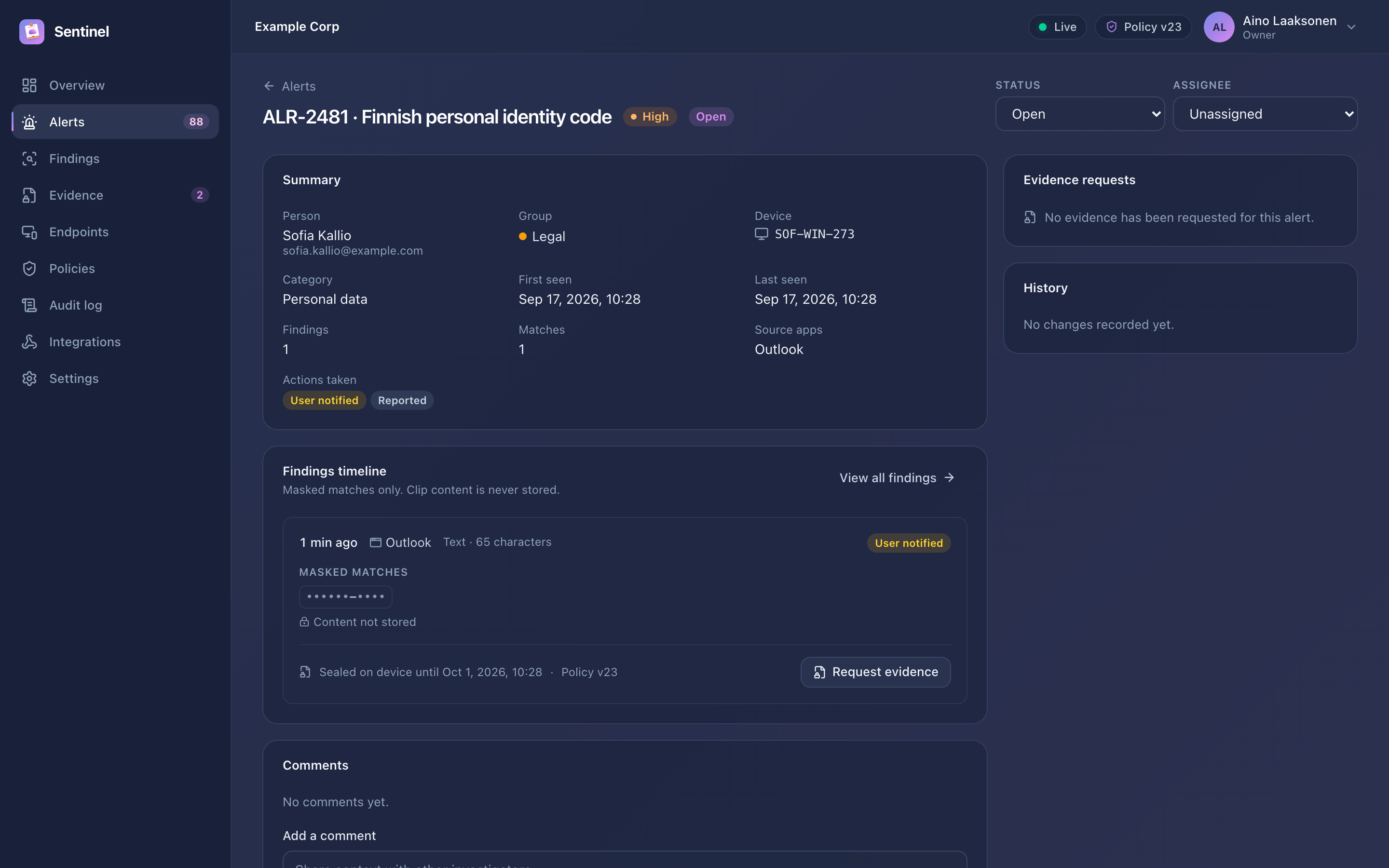
The alert page shows:
- the findings timeline with masked matches, the source application, content type and length, and the actions taken on the device (clipboard cleared, user notified, excluded from sync);
- status, assignee and comments for coordination;
- evidence requests for the alert's findings;
- history: every change to the alert from the audit log.
Findings
Findings lists every finding with the same filters. Use it to hunt across alerts, for example all findings from one source application this week, or every finding with sealed evidence still available on the device.
TIP
Send alert.created for high and critical alerts to your SIEM or on-call channel with an integration, and triage everything else in the console.